FullFloor Scheduling
Screens Pricing Install Help Sign in Start free

People in place. Care without gaps.

Staff scheduling for skilled nursing.

Build the schedule, post open shifts, cover call-offs — from a phone.
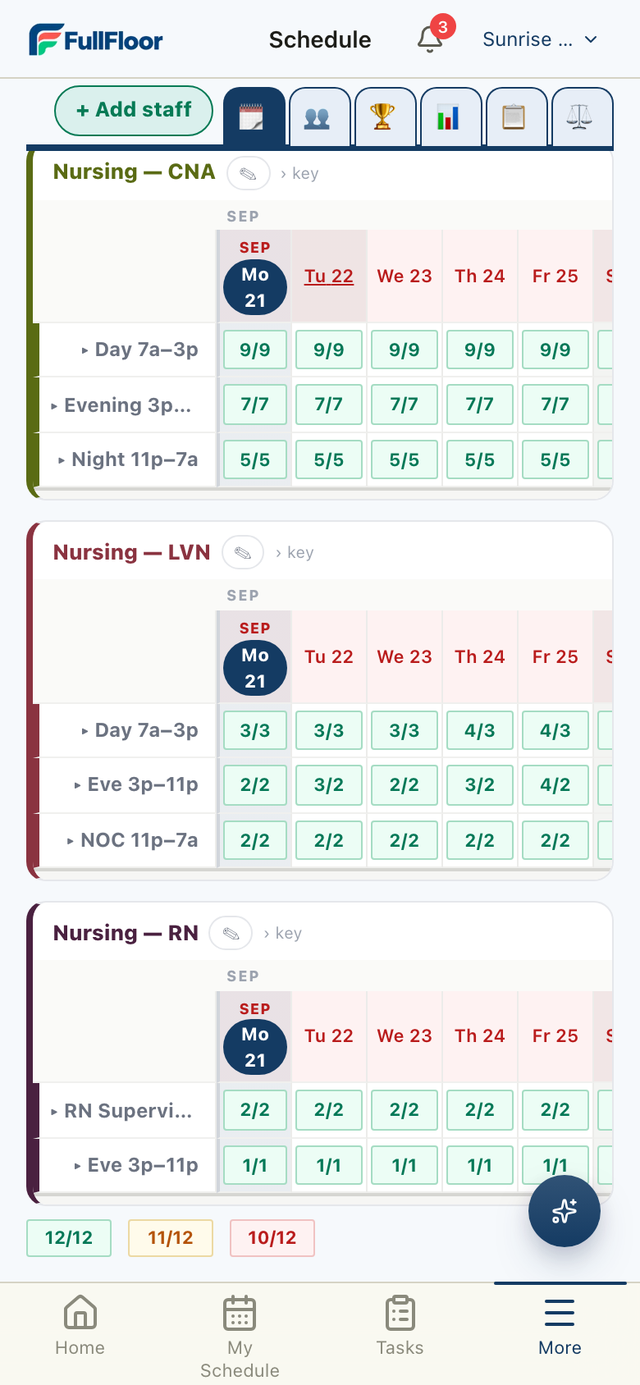
The FullFloor schedule board, one card per department.
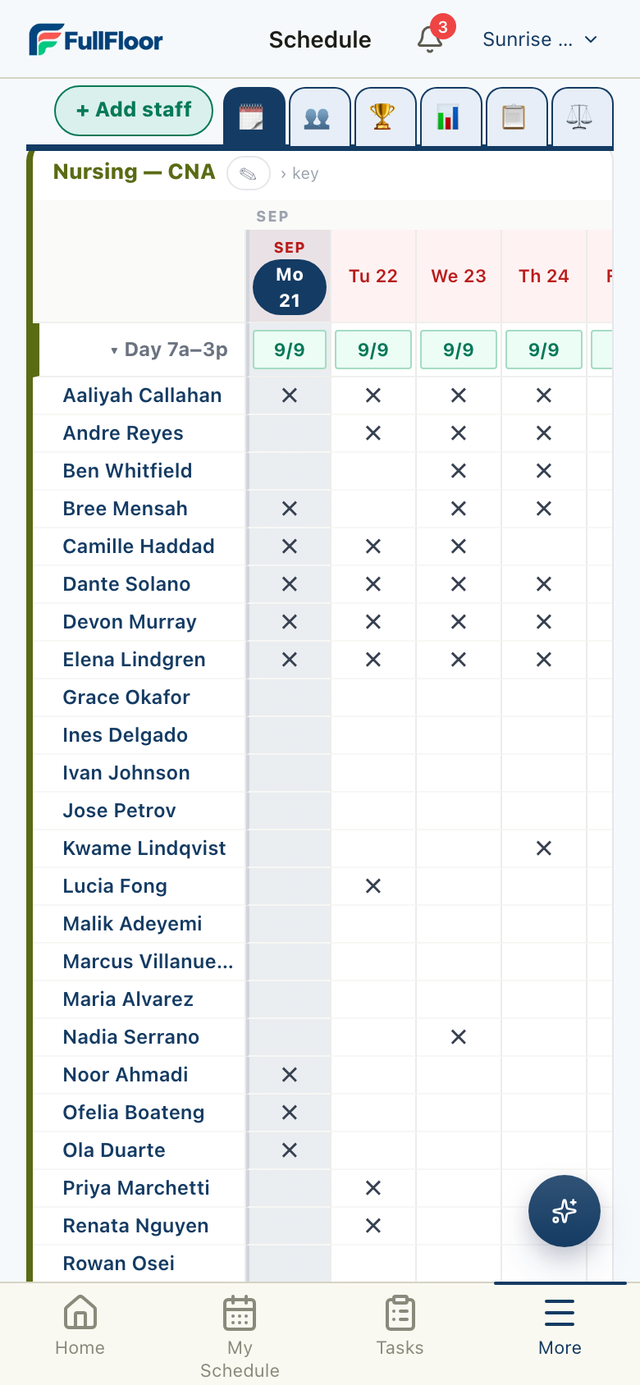
A shift block opened on the board, one row per person.
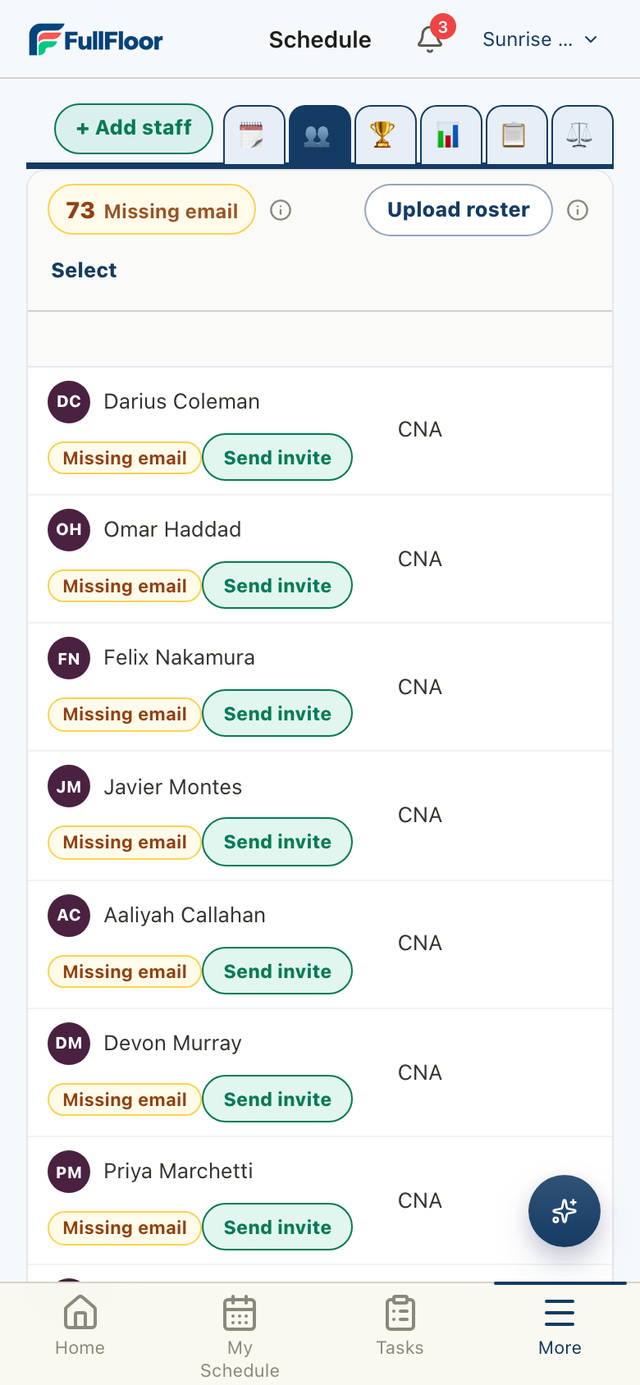
The FullFloor roster.
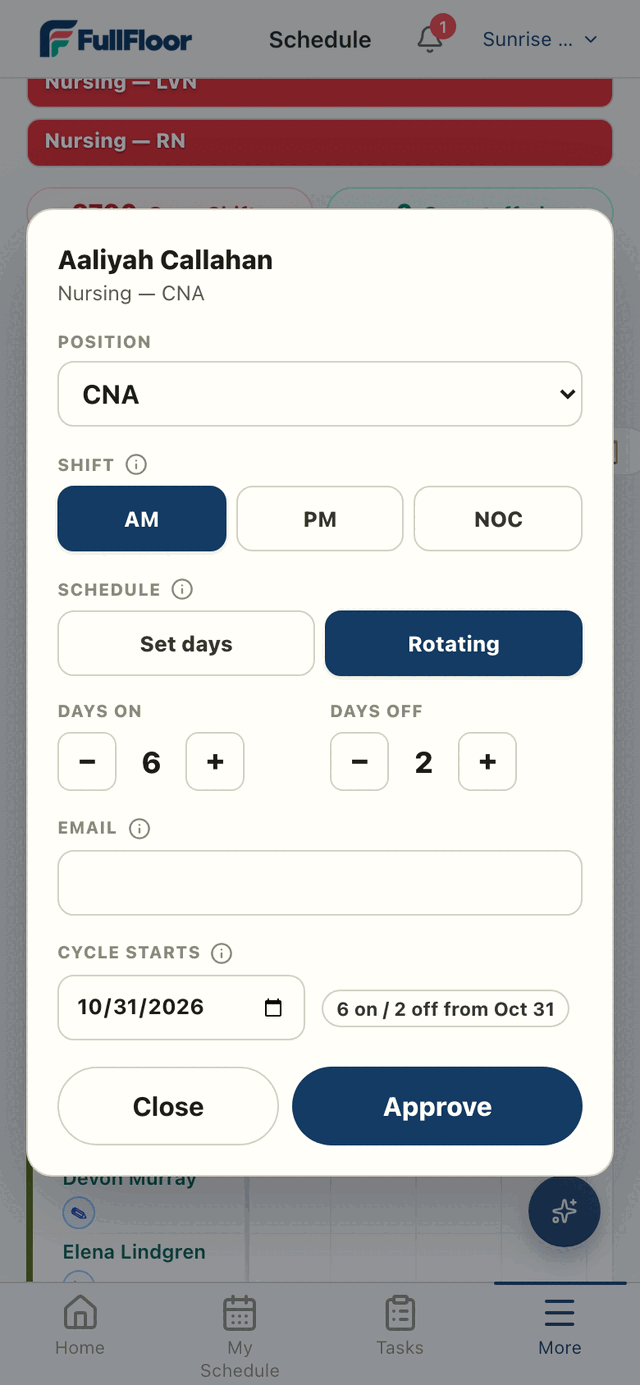
A shift card with position, shift and cycle.
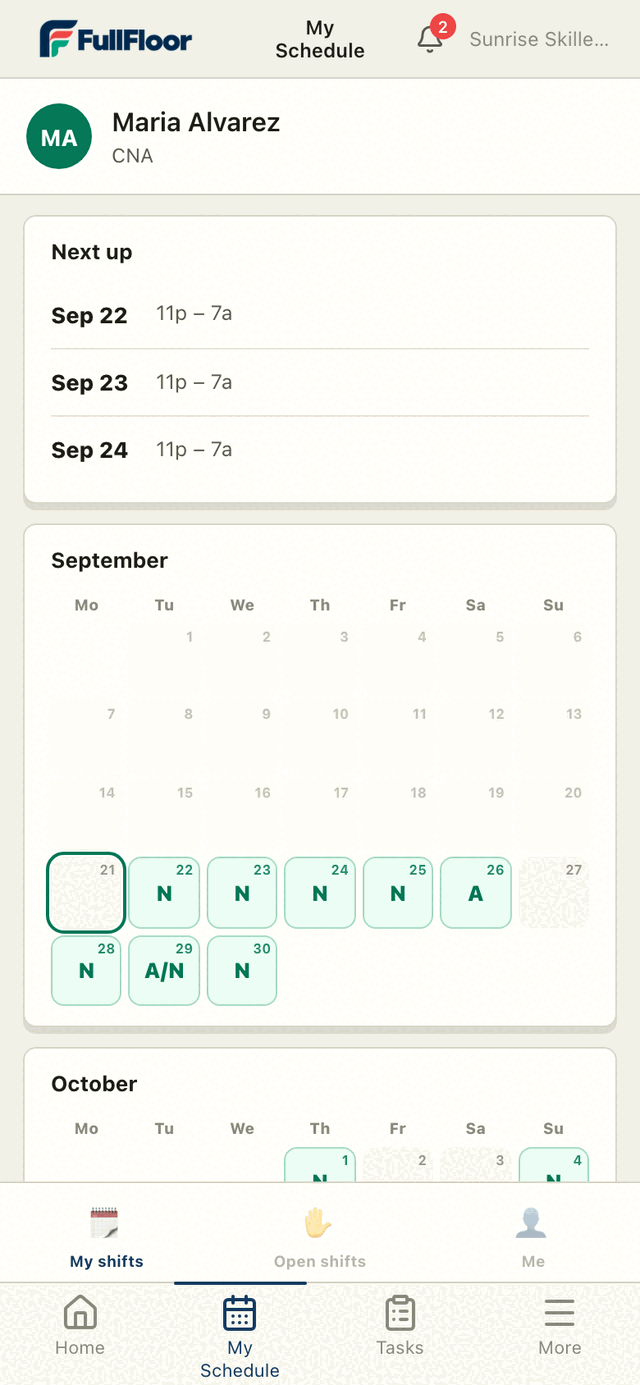
A staff member's own schedule.

The board

One card per department.

Coverage per shift, day by day. Nursing, by position, on one screen.

Department cards with coverage counts per shift.

Who is on

Open a shift, see the floor.

Every person on that block, every day, in one grid. Tap a day to change it.

An open shift block listing each person by day.

Accounts

Everyone gets a login.

Upload the roster with emails. Send the invites from the same screen.

The roster, with invites ready to send.

On the floor

Their shifts, on their phone.

Staff sign in and see their own days. Nothing to install from a store.

  • Open shift pickup
  • Call-offs
  • Coverage by department
  • Room rounds
A staff member's schedule with their next shifts.

Pricing

$200 / month per facility

  • 30 days free
  • Cancel any time

Install

Add it to a phone.

Pick the browser. It sits on the home screen.

iPhone · Safari

Type https://app.fullfloor.app
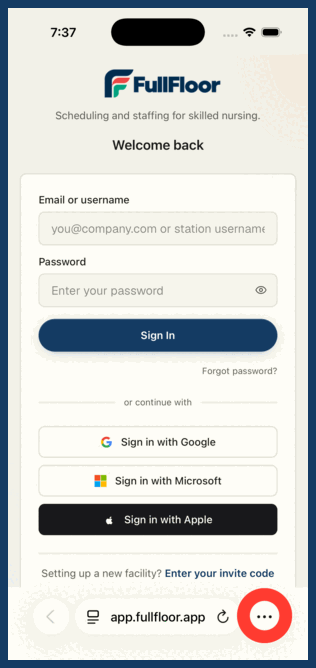
Safari with the three-dot button circled Tap ⋯
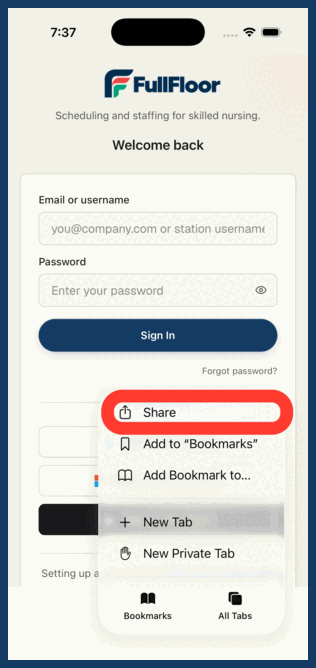
The Safari menu with Share circled Share
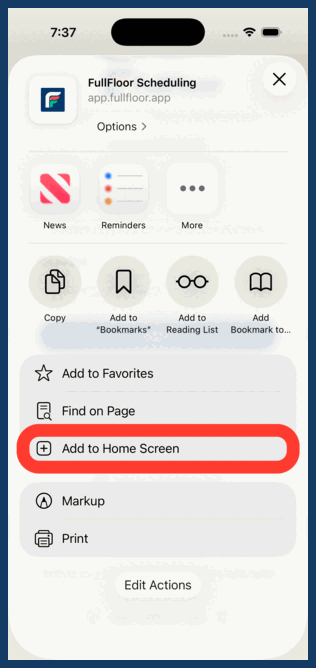
The share sheet with Add to Home Screen circled Add to Home Screen
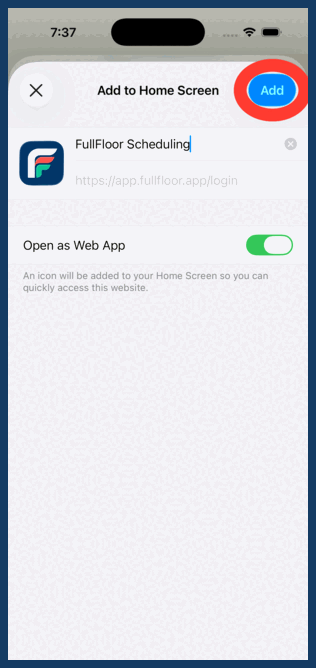
The confirmation screen with Add circled Add
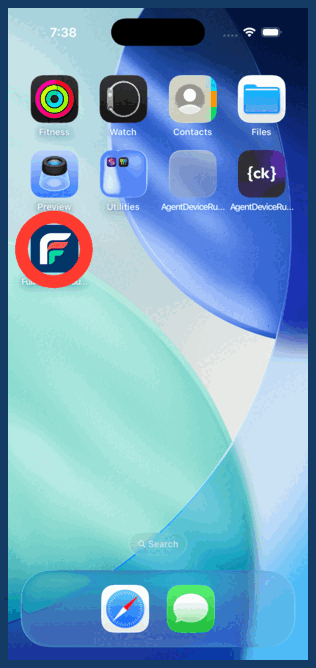
The home screen with the FullFloor icon circled Done
iPhone · Chrome

Type https://app.fullfloor.app
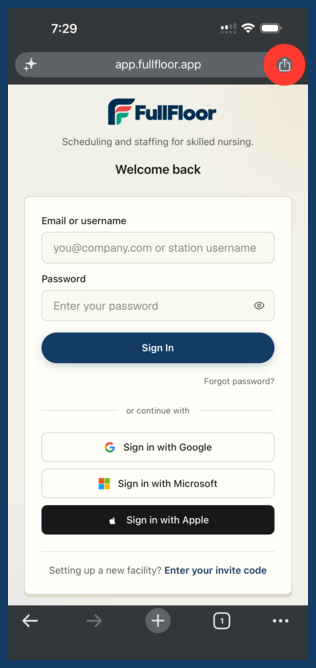
Chrome on iPhone with the Share button circled Share
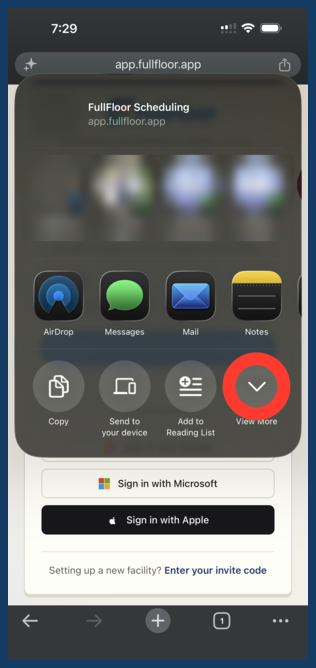
The iPhone share sheet with View More circled View More
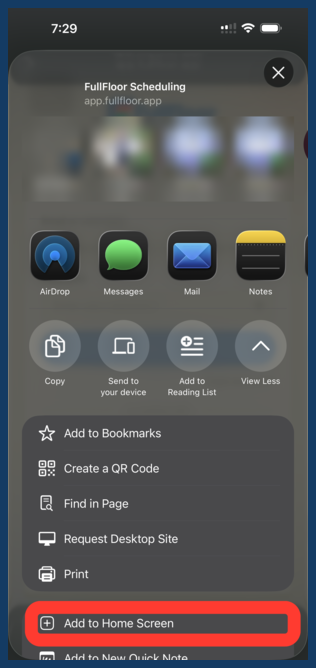
The expanded share sheet with Add to Home Screen circled Add to Home Screen
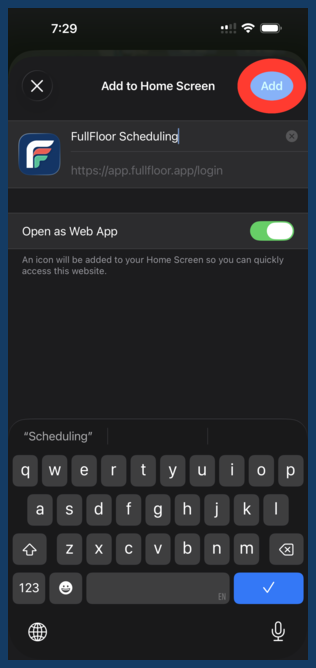
The Add to Home Screen screen with Add circled Add
Android · Chrome

Type https://app.fullfloor.app
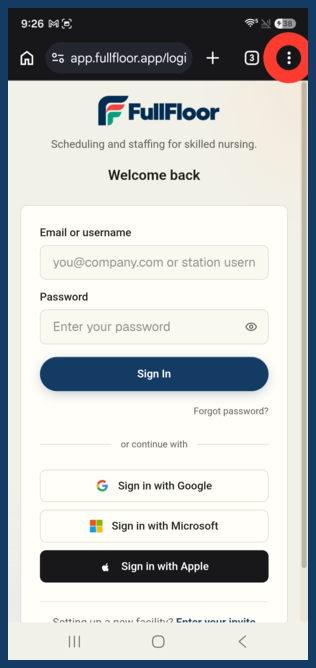
Chrome on Android with the three-dot menu circled Tap ⋮
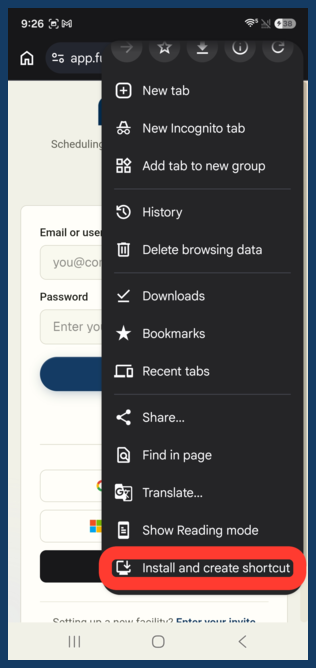
The Chrome menu with Install and create shortcut circled Install and create shortcut
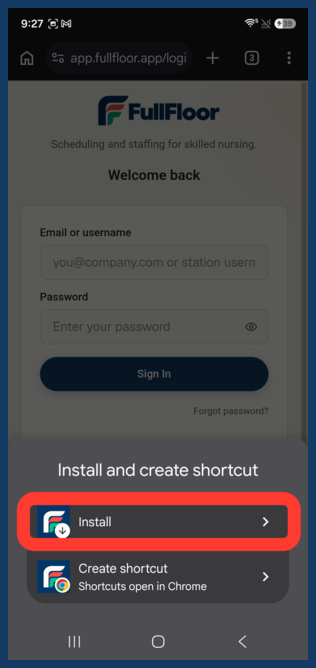
The Install and create shortcut sheet with Install circled Install
Android · Samsung Internet

Type https://app.fullfloor.app
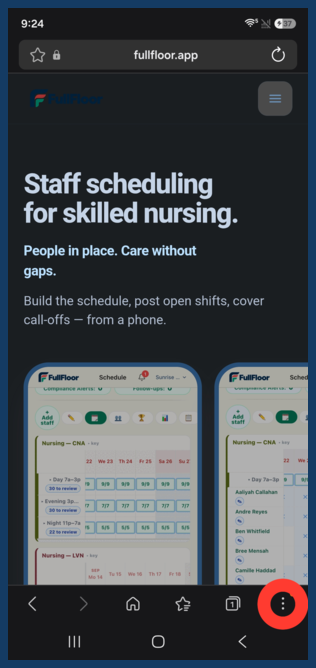
Samsung Internet with the three-dot menu circled Tap ⋮
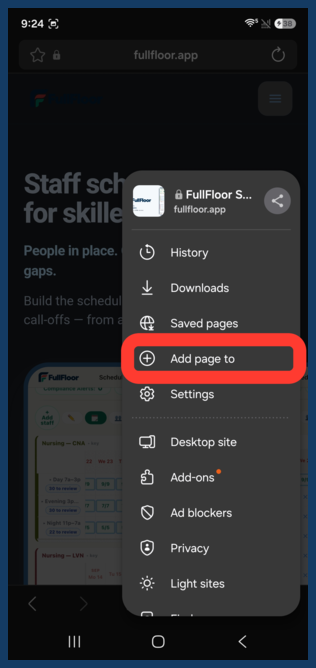
The Samsung Internet menu with Add page to circled Add page to
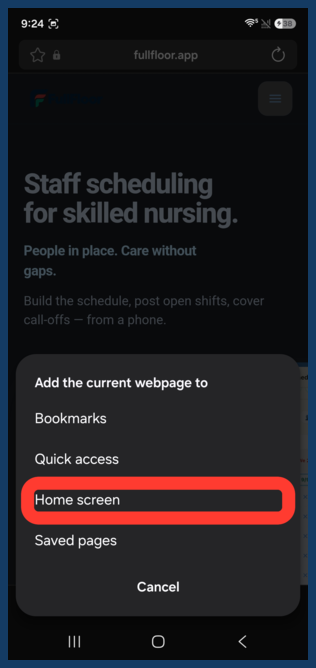
The Add page to sheet with Home screen circled Home screen